Sage 200 Evolution
Pilot: Mock testing only; not RSL-accreditedA Windows connection for your existing accounting system.
For VAT-registered businesses
Tiiso connects your accounting system to your country’s tax e-invoicing system.
Lesotho is our first development target, for RSL Lekuka. Other countries are planned, not available yet.
This is not participation in RSL’s taxpayer pilot. Current demonstrations use a mock gateway, not authority acceptance.
Invoice INV-0042
M1,150.00 incl. VAT
 TEST-0042
Your systems, connected
Our first connections start with familiar accounting tools.
A Windows connection for your existing accounting system.
A cloud connection with access approved through QuickBooks.
A cloud connection with access approved through Xero.
The document’s return path
From the invoice you create to the answer you need.
Sending is not acceptance. The portal design separates submission results from slip and QR report readiness, so you can see what needs attention.
When the connection drops
The planned Evolution connection keeps captured documents on your computer while offline. When the connection returns, signing and submission resume in order.
RSL’s guide covers offline batches, but our capture queue does not issue offline fiscal invoices. Confirm the authorised mode and timing with RSL before trading during an outage.
No answer is not a refusal. If a submission’s result is unknown, pause the device and check its status before sending again.
Security and oversight
See the data controls, test evidence and approval process for live use.
Read the security planThe business owner’s guide
Follow an invoice from your till to the tax authority. Explore the rules across Africa and see what your business needs to do.
Explore the illustrated guide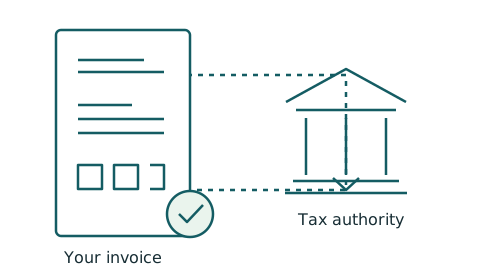
Your next step
Share the systems you use. We will review your request to join testing.